
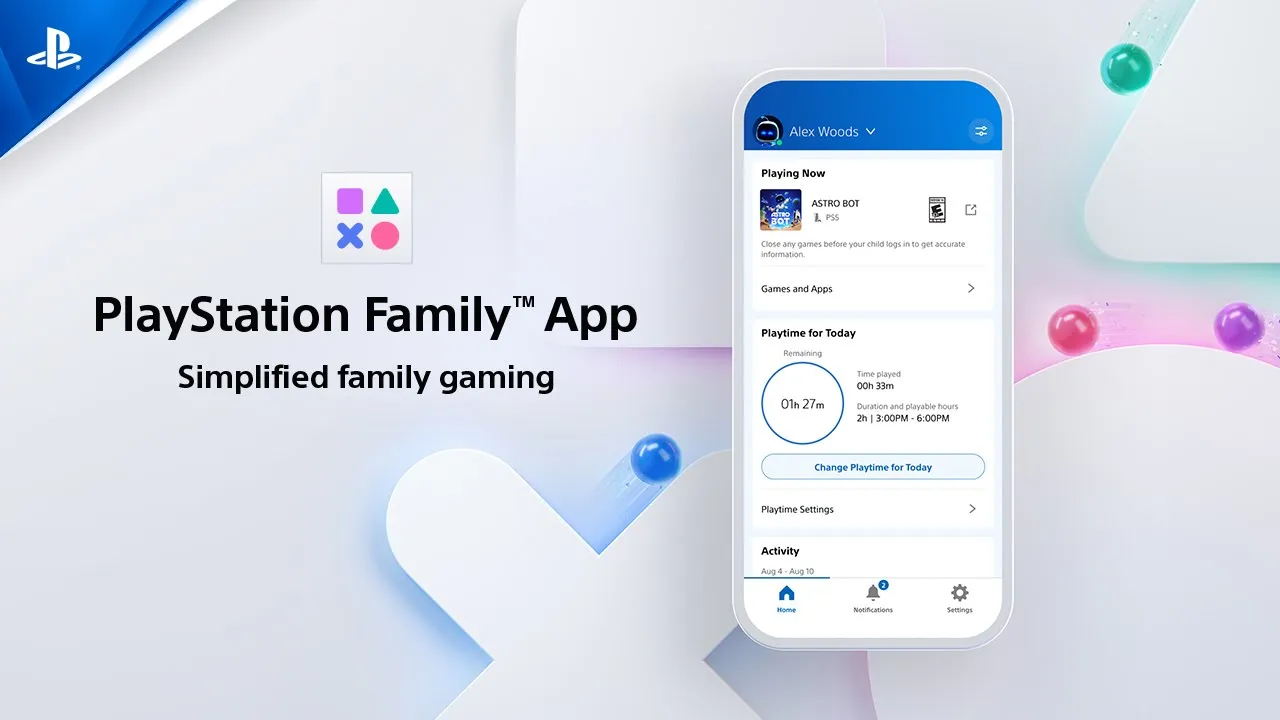

Customisable playtime
Set playtime limits for each day of the week. A child can enjoy more flexibility by requesting additional playtime from the console, while parents can approve or decline their requests from a mobile device.


Stay informed about and involved in your child's gameplay by managing playtime, spending, messaging and more with the free PlayStation Family app.


Stay informed about and involved in your child's gameplay by managing playtime, spending, messaging and more with the free PlayStation Family app.

Set playtime limits for each day of the week. A child can enjoy more flexibility by requesting additional playtime from the console, while parents can approve or decline their requests from a mobile device.

Choose and configure age-appropriate content with a few taps of a button. Choose from presets that automatically apply recommended settings for different age groups or customise the settings to best suit each child. You have the option to respond to your child’s request to allow a more mature game based on what is appropriate for your child.

Manage spending activity by adding funds, viewing balances, and setting a monthly spending limit for a child to buy content from the PlayStation Store.

When your child requests extra playtime, access to a restricted game, or permission to use in-game communication features, you can approve or decline directly from your phone. You have the final say – anytime, anywhere.

See their online status and the game they’re currently playing plus their playtime hours from the past week. Stay engaged and make informed decisions to foster healthy play.

Customise privacy settings for how your child connects and plays.
Screen content simulated. For illustrative purposes only.

Download the free PlayStation Family app for iOS or Android devices.


PS Family app is compatible with iOS version 14 and Android 8 or higher.
Download the free PlayStation Family Management app for Apple or Android devices.
PS Family app is compatible with iOS version 14 and Android 8 or higher.

Find out more about online safety on PlayStation with our useful how-to guides and gaming inspiration for parents and guardians:

You can set when and for how long your child can play. You can also choose what happens when their playtime ends–either send them a reminder or block further play.
The app gives the Family Manager and any appointed Guardians the ability to see all gameplay activity of all child accounts within their family.
The app is available as a free download on iOS and Android (a minimum of iOS 14 and Android 8 required).
An account for PlayStation is not a prerequisite for using the app. Once downloaded, you’ll be taken through the necessary steps for account creation.
Your child can request access to specific games that would be restricted by their set age limit – you’ll then be able to review this request through the PlayStation Family app.
Follow our handy guide covering all the steps for getting your family up and running on PlayStation.
The minimum age to create a child account varies by country. Please refer to this list.
Some features are only available on PS4 or PS5.
PlayStation Terms of Service are viewable at https://www.playstation.com/legal/psn-terms-of-service/.
“PlayStation”, “PlayStation Family Mark”, “PlayStation Family”, “PS5”, and “PS4” are registered trademarks or trademarks of Sony Interactive Entertainment Inc.
Enter your date of birth.
LIVE_BLOG_FEED_AGE_VERIFY
{OVERLINE}
{PARAGRAPH}
{FEATURE_DESC}
